アプリストア
LibreOfficeのWindows、macOS、Linux版はわたしたちのWebサイトから直接、無償でダウンロードできます。Microsoft StoreやMac App Store経由で入手したい場合は、以下のリンクからダウンロードできます。
アプリストア版は自由ソフトウェア(オープンソース)ですが、少額の料金が発生します。この料金は、アプリストアでの提供にかかる作業費と、ソフトウェアの開発やコミュニティの構築の支援に使われます。
開発版
プレリリース版
プレリリース版は、ダウンロードカスタマイザーからダウンロードできます。「alpha」「beta」「RC」のラベルが付いたバージョンがあれば、それを選択してください。
プレリリース版は、本番環境での利用をおすすめしません。品質向上に協力いただける方は、リリースノートを読んで、QAのページをご覧ください。
RC(リリース候補)ビルドは正式リリースと同じ構成でビルドされているため、インストール済みのLibreOfficeが置き換えられます。
既存のLibreOfficeを残したままRC版でテストや作業をしたい場合は、並行インストールを利用するとよいでしょう。
ナイトリービルド
ナイトリービルドは、LibreOfficeの最新の開発版で、テスト用に定期的に作成される開発スナップショットです。保証は一切ありません。
ソースコードとSDK
すべてのソースコードはgitで管理しています。次のコマンドを実行すると、リポジトリをクローンできます。
git clone https://git.libreoffice.org/core
ソースコードをWeb上で閲覧することもできます。
詳しい手順は、wikiの開発者向けページを参照してください。また、ライセンスもご確認ください。
SDKのダウンロード
LibreOffice_26.8.3_Linux_x86-64_rpm_sdk.tar.gz (Torrent、ダウンロードミラー一覧)
LibreOffice_26.8.3_Linux_aarch64_rpm_sdk.tar.gz (Torrent、ダウンロードミラー一覧)
LibreOffice_26.8.3_Linux_x86-64_deb_sdk.tar.gz (Torrent、ダウンロードミラー一覧)
LibreOffice_26.8.3_Linux_aarch64_deb_sdk.tar.gz (Torrent、ダウンロードミラー一覧)
LibreOffice_26.8.3_MacOS_x86-64_sdk.dmg (Torrent、ダウンロードミラー一覧)
LibreOffice_26.8.3_MacOS_aarch64_sdk.dmg (Torrent、ダウンロードミラー一覧)
LibreOffice_26.8.3_Win_x86-64_sdk.msi (Torrent、ダウンロードミラー一覧)
LibreOffice_26.8.3_Win_aarch64_sdk.msi (Torrent、ダウンロードミラー一覧)
アーカイブ形式のソースコードのダウンロード
libreoffice-26.8.3.1.tar.xz (Torrent、ダウンロードミラー一覧)
libreoffice-dictionaries-26.8.3.1.tar.xz (Torrent、ダウンロードミラー一覧)
libreoffice-help-26.8.3.1.tar.xz (Torrent、ダウンロードミラー一覧)
libreoffice-translations-26.8.3.1.tar.xz (Torrent、ダウンロードミラー一覧)
古いバージョン
古いバージョンのLibreOffice(もう更新されません!)はアーカイブにあります。
LibreOffice Impress Remote
LibreOffice Impress Remoteアプリを使うと、スマートフォンやスマートウォッチからプレゼンテーションを操作できます。このアプリは、Android、iOS、Pebbleスマートウォッチで利用できます。
For more information about this application, visit the help page.
AndroidおよびiOS向けLibreOffice
The Document Foundationは、Android端末向けにLibreOfficeドキュメントの閲覧アプリを提供しています。編集機能も実験的にサポートしています。
ドキュメントを編集したい場合は、Collaboraが提供するLibreOfficeベースの製品をアプリストアから入手できます。CollaboraはThe Document Foundationの認定開発者が所属する企業で、エコシステムのメンバーでもあります。
LibreOfficeポータブル
LibreOffice ポータブルは、Windows向けLibreOfficeの全機能を備えたポータブル版です。ワープロ、表計算、プレゼンテーション、図形描画、データベースの各機能を含み、ポータブルアプリとしてパッケージ化されています。そのため、すべてのドキュメントと作業に必要な一式を、どこへでも持ち運べます。PortableApps.com形式でパッケージ化されているので、PortableApps.comプラットフォーム と連携し、その自動アップデーターやアプリストアも利用できます。ほかのポータブルメニューと組み合わせることも、USBドライブ、クラウドドライブ、ローカルドライブから単体で動かすこともできます。しかも、オープンソースで完全に無料です。
全言語版には、LibreOfficeがサポートするすべての言語が含まれています。
LibreOfficeポータブルは、The Document Foundationの許可と協力のもと、PortableApps.comによってパッケージ化されています。パッケージのダウンロードや詳細情報、サポートについてはこちらのページ (LibreOfficeポータブル最新版)およびこちらのページ (LibreOfficeポータブル安定版)を参照してください。
Chocolatey経由のLibreOffice
LibreOfficeはChocolateyからダウンロードできます。
Flatpak形式のLibreOffice
Flatpakは、Linuxアプリケーションをイメージとして配布する仕組みです。配布されたアプリケーションは、さまざまなディストリビューション上で安全に動作します。
Flatpak builds of LibreOffice Latest are provided on Flathub (direct link to download org.libreoffice.LibreOffice.flatpakref).
A few items to note:
- The LibreOffice Flatpak is using LibreOffice’s GTK3 backend, which should offer the most complete set of features in LibreOffice, including support for Wayland.
- Localization data is offloaded to an org.libreoffice.LibreOffice.Locale extension. Installation of it should be handled transparently by the Flatpak infrastructure.
- Help content is available as an org.libreoffice.LibreOffice.Help extension. You probably need to install it manually. (And, at least for now, it contains help content for all localizations, so is rather large.)
- At this time, there is no Flatpak version of the LibreOffice Software Development Kit (SDK).
- Bugs only appearing in the Flatpak version should be reported to Flathub.
LibreOffice as Snap
Snaps are fast to install, easy to create, safe to run, and they update automatically and transactionally so the application is always fresh and never broken. They aim to work on any distribution or device, from IoT devices to servers, desktops to mobile devices.
Installing LibreOffice from the store
Current versions of LibreOffice are available in the Snap store as 64-bit versions.
You can install the LibreOffice snap by visiting:
https://snapcraft.io/libreoffice
Or install from the command line:
sudo snap install libreoffice
If you are missing the snap command you might need to install snapd first.
Running the LibreOffice version installed as snap
After installing, the version of LibreOffice installed via snap can be found in the Application menu.
Alternatively, it can be started with the command:
/snap/bin/libreoffice
Omitting the full path likely starts the version of LibreOffice installed by the distribution instead, if there is one.
More details on Snap are available on the Snap homepage.
Note that bugs only appearing in the Snap version should be reported to Ubuntu’s Launchpad.
AppImage形式のLibreOffice
AppImage is a portable application format for Linux that allows users to run applications on rolling (e.g. Arch, openSUSE Tumbleweed) and stable (e.g. Ubuntu LTS, Red Hat Enterprise Linux) Linux distributions very easily, without the need for installation or worry of dependencies. AppImages bundle all the files needed for an application to run (e.g. libraries, translations, icons, fonts) that may not already be present on a user’s system.
LibreOffice AppImage is a portable version of LibreOffice for Linux that can be run from any location (e.g. local drive, USB, CD, network share) on all popular Linux distributions, including their live CDs. LibreOffice AppImage is available in three versions - Basic, Standard, and Full - which support a different set of languages.
The Basic version includes support for the default language, English (US).
The Standard version includes support for English (US and GB), Arabic, Chinese (Simplified and Traditional), French, German, Italian, Japanese, Korean, Portuguese (Brazilian and Portugal), Russian, and Spanish.
The Full version includes all languages supported by LibreOffice.
More Downloads
Additional LibreOffice Appimages can be found browsing the LibreOffice AppImage repository.
Running the AppImage from the GUI
- Open your file manager and browse to the location of the AppImage
- Right-click on the AppImage and click the ‘Properties’ entry
- Switch to the Permissions tab and
- click the ‘Executable as Program’ checkbox if you are using a Nautilus-based file manager (Files, Nemo, Caja)
- click the ‘Allow executing file as program’ checkbox if you are using Dolphin
- click the ‘Allow this file to run as a program’ checkbox in Thunar
- change the ‘Execute’ drop down list to ‘Anyone’ if you are using PCManFM
- Close the dialog
- Double-click on the AppImage file to run
Running the AppImage from the Terminal
- Open your terminal application, if not already open
- Browse to the location of the AppImage
- Make the AppImage executable
$ chmod a+x LibreOffice\*.AppImage
- Run it
$ ./LibreOffice\*.AppImage
Notes
- LibreOffice AppImages repackage the same binary files found in the .tar.gz files that are distributed on the main download page, through a build script hosted on LibreItalia’s version control system.
- LibreOffice AppImages will run on the distributions that will run an installed version of LibreOffice, but expect the user’s system to have some libraries that aren’t bundled with the AppImage, like Java (used in Base) and GStreamer (used in Impress).
- LibreOffice AppImages were tested and run on these old versions of stable distributions and their newer versions - Ubuntu 10.04 LTS, Debian 6, Fedora 12, openSUSE 11.3, Mageia 2, PCLinuxOS 2013.07.15, Puppy 6, Salix 13.37 (Slackware), CentOS 6
- LibreOffice AppImages were tested and run on these rolling distributions - Solus, openSUSE Tumbleweed, Arch Linux, Gentoo Linux, Tails
- LibreOffice AppImages use the existing user profile of an installed version of LibreOffice on your system or create one if none exist. For LibreOffice AppImages that use their own user profile folder (so they won’t conflict with the user profile of an installed version of LibreOffice on your system), go to the LibreOffice Portable AppImage repository.
- LibreOffice AppImages are currently only available as 64-bit executables, so they will only run on 64-bit Linux distributions.
- AppImages require FUSE to run. If your system does not have a working FUSE setup, you can still extract the contents of the AppImages using the --appimage-extract option.
- AppImages aren’t sandboxed, so if you’ll like to run them that way, please read this guide to sandbox with firejail.
LibreOffice Online
What is it?
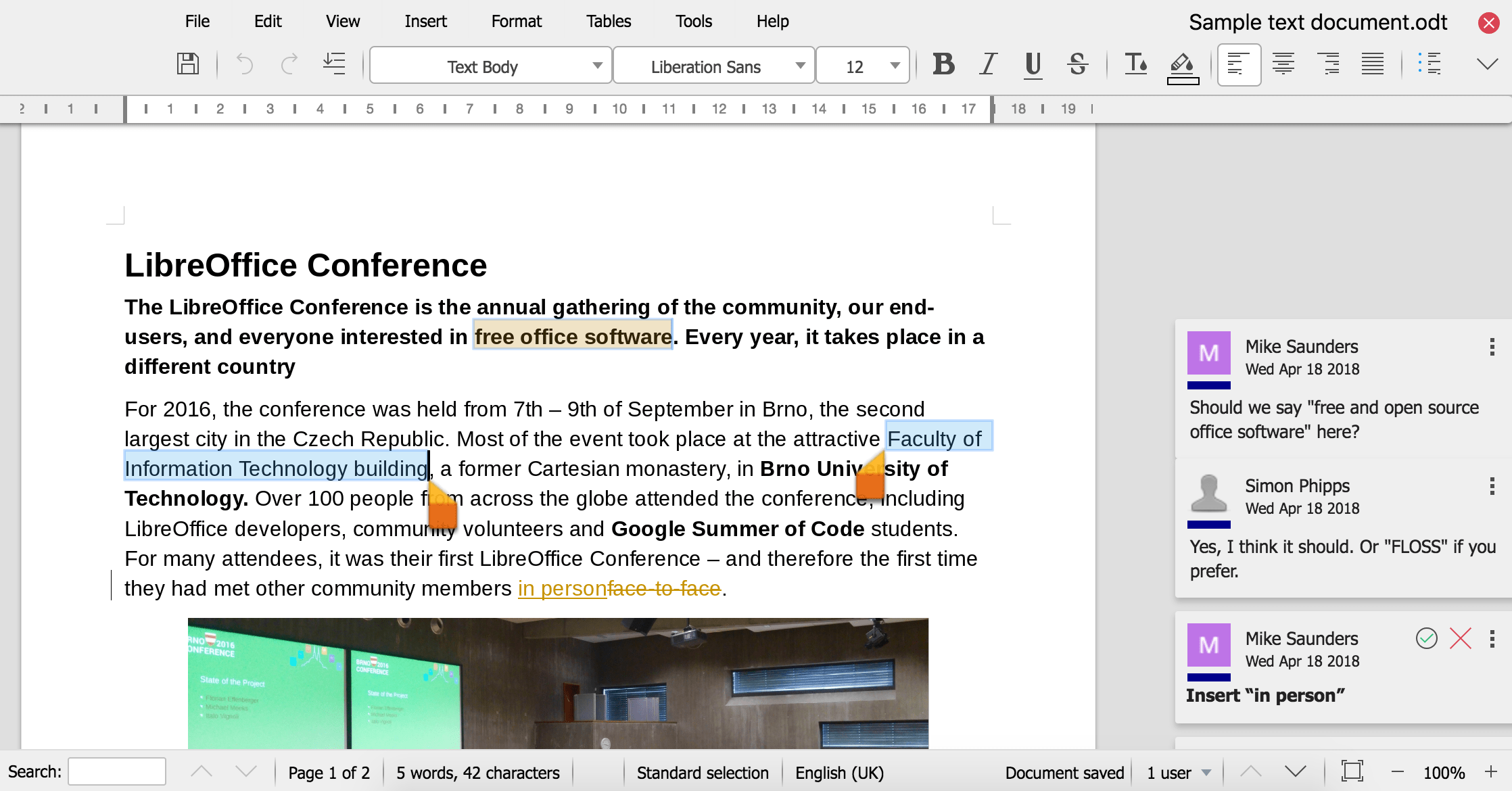
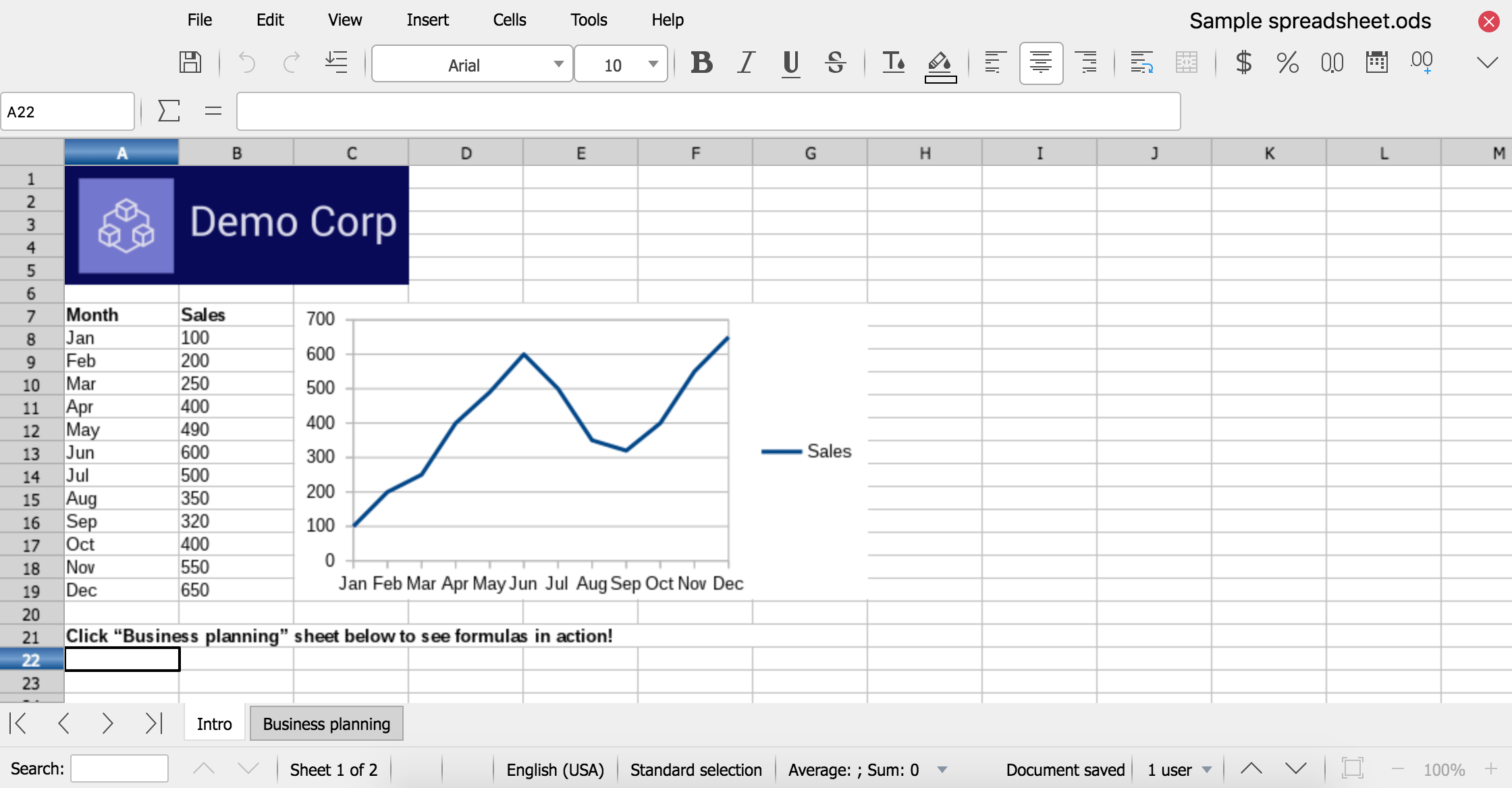
LibreOffice Online is a server service built from the main LibreOffice project code, which provides display and collaborative visual editing of a range of document types in a web browser. It does not include any form of file system. To be fully functional, it has to be integrated with file access and authentication provision from an underlying stack of software.
For anything more than casual use it also needs to be deployed with due consideration for load balancing and other scaling issues. As such, LibreOffice Online can be considered an enabling technology for the public cloud of ISPs or the private cloud of enterprises and large organizations, when integrated - for example - with an enterprise file sharing or a groupware solution.
Why not provide a hosted service?
The Document Foundation is not planning to develop and fund a cloud solution similar to existing products from Google and Microsoft, because this would require selection and integration of the other technologies needed for deployment - file sharing, authentication, load balancing and so on - which for desktop LibreOffice is part of the operating system provided by the user. This would be a significant growth of scope and not in line with the original mission of the project. The task is therefore left to large deployers, ISPs and providers of open source cloud solutions, and several options are already available on the market. TDF would welcome provision of a public LibreOffice Online offering by another charity.
Why is this un-supported?
TDF does not offer end-user support for any of the projects it hosts. End-user collaborative self-help is available at ask.libreoffice.org.
Since LibreOffice Online requires integration with many other technologies to allow deployment, The Document Foundation will not be maintaining binaries for enterprise use. Even if it were reasonable to pre-select all the elements of a deployment stack, providing enterprise production binaries would create expectations which could not be fulfilled by volunteer-based support.
However, builds of the latest code suitable for home users and for contributing to development - which is encouraged - are available. TDF is keen to avoid situations where an unsuitable version is deployed at scale, so when used in what would be likely to imply an enterprise situation - more than 10 concurrent documents and/or more than 20 connections - LibreOffice Online will display a prominent “not supported” warning and a link to this page, while continuing to function.
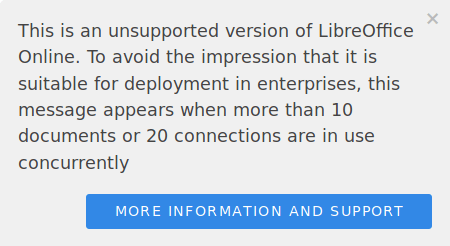
We encourage others providing un-supported binaries derived from LibreOffice to follow this pattern.
How can I get support and help fund development?
The Document Foundation suggests that all large-scale deployers of LibreOffice use certified developers either directly or via a commercial provider who employs them. This is especially important for LibreOffice Online where your business plays an important role paying for the further development of the software.
Please do not attempt a public or enterprise production deployment of LibreOffice Online without professional support. As explained above, it is not intended for direct production deployment.
Can I use this for free?
Absolutely, LibreOffice Online is Open Source Free software, just download and use it, inspect, study, share, modify and contribute back to the project. Just be aware that the version you have downloaded is designed for personal and/or development use so there is an un-supported notification displayed when you exceed to 10 concurrent documents and 20 connections.
How can I compile a version without this warning?
LibreOffice is Open Source Free software and you are entitled to make whatever changes you wish to the source code. Each version of LibreOffice Online has a Help/About page with the Git hash of the source code it is built from and a link to clone that source. Please bear in mind that if you remove such support statements from the code you may need to change the name of the project, especially if you intend to make it available outside your organisation - check out our trademark guidelines. This also serves to make it clear that you are committing to support the version you have created.
Getting it
While TDF provides only source releases, there are binaries available from many other sources including:
TDF provides source code releases of LibreOffice Online.